Building Quill

OVERVIEW
Quill is an internal platform I designed and helped engineer to simplify how our engineering team finds, evaluates and responds to RFP opportunities.
Before Quill, engineers had to manually search multiple procurement websites, review long RFP documents, track requirements separately and coordinate proposal work across different tools.
Quill brings that workflow into one place. It pulls opportunities from multiple procurement sources, helps the team identify the strongest ones, organizes proposal requirements and supports collaboration and AI-assisted writing through submission.
The impact was a much more efficient RFP workflow: instead of spending time searching across multiple portals and piecing information together manually, the team could focus more on evaluating the right opportunities, identifying requirements earlier and building stronger proposals faster.
PROBLEM
Before Quill, our engineers had to search different procurement websites to find RFP opportunities, open each one individually, and read through long documents just to decide if it was worth pursuing.
Even after finding a good opportunity, the work was still split across different tools for requirements, documents, collaboration and writing.
The problem wasn’t just finding RFPs. It was all the manual work that happened after finding one.
RESEARCH
Understanding how the team was working with RFPs
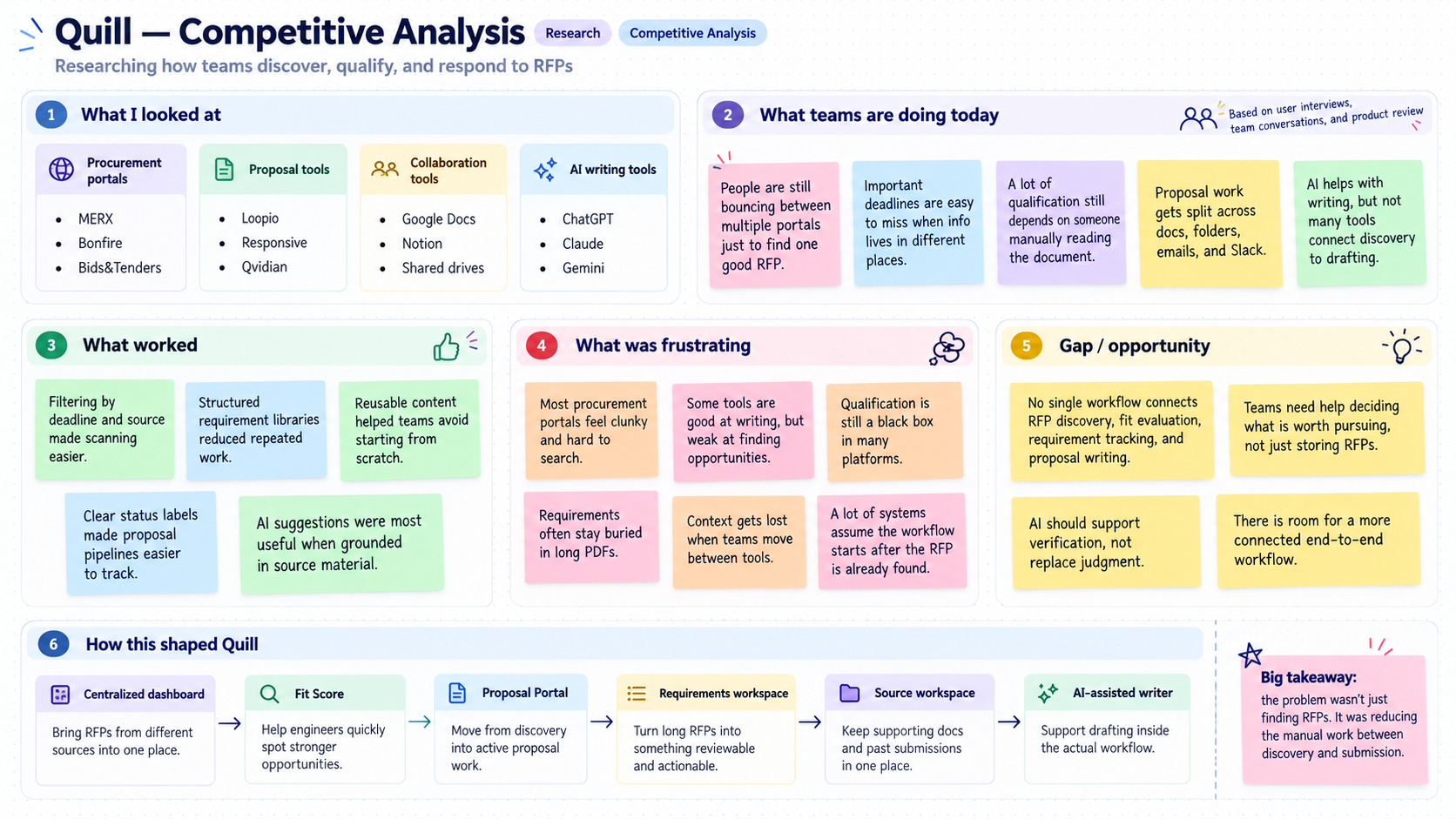
I started by looking at how our engineers were finding and responding to RFPs. I also compared that process with tools like MERX, Bonfire, Bids&Tenders, Loopio and Responsive to see how they handled different parts of the workflow.
One thing that stood out quickly was how scattered the process was. Engineers were checking different websites to find RFPs, reading long documents to see if they were a good fit, then moving to other tools for requirements, files and writing.
Most of the tools I looked at were good at one part of the process, but they did not really connect the full workflow.
Procurement tools were mainly focused on finding RFPs. Proposal tools focused more on writing. AI tools could help with drafting, but you still had to bring all the information into them yourself.
That showed there was a clear gap between finding an opportunity and actually building the response. This is what shaped the direction of Quill and led to the dashboard, Fit Score, Requirements workspace and AI-assisted writer.
DIRECTION
From insights to solution
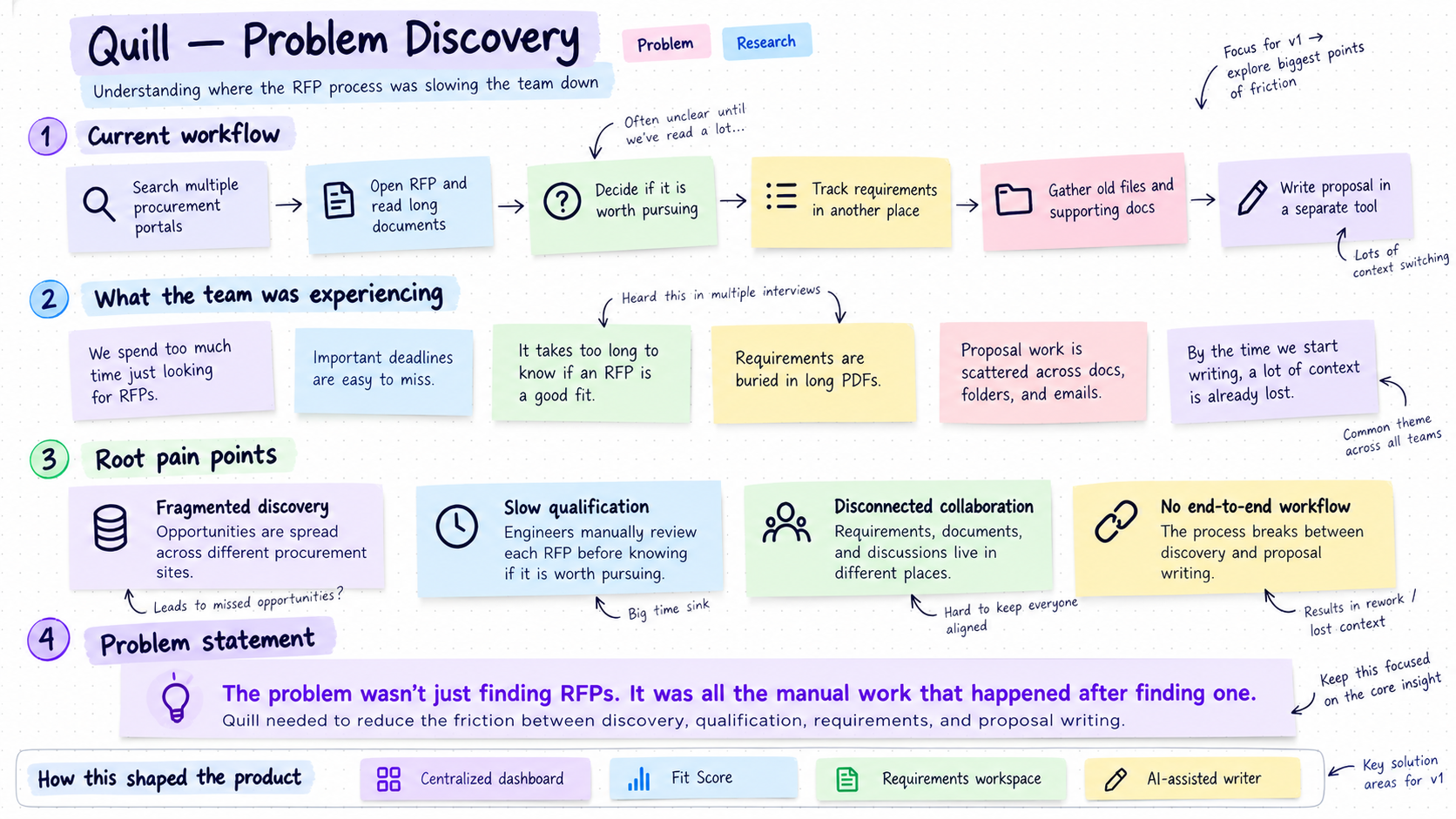
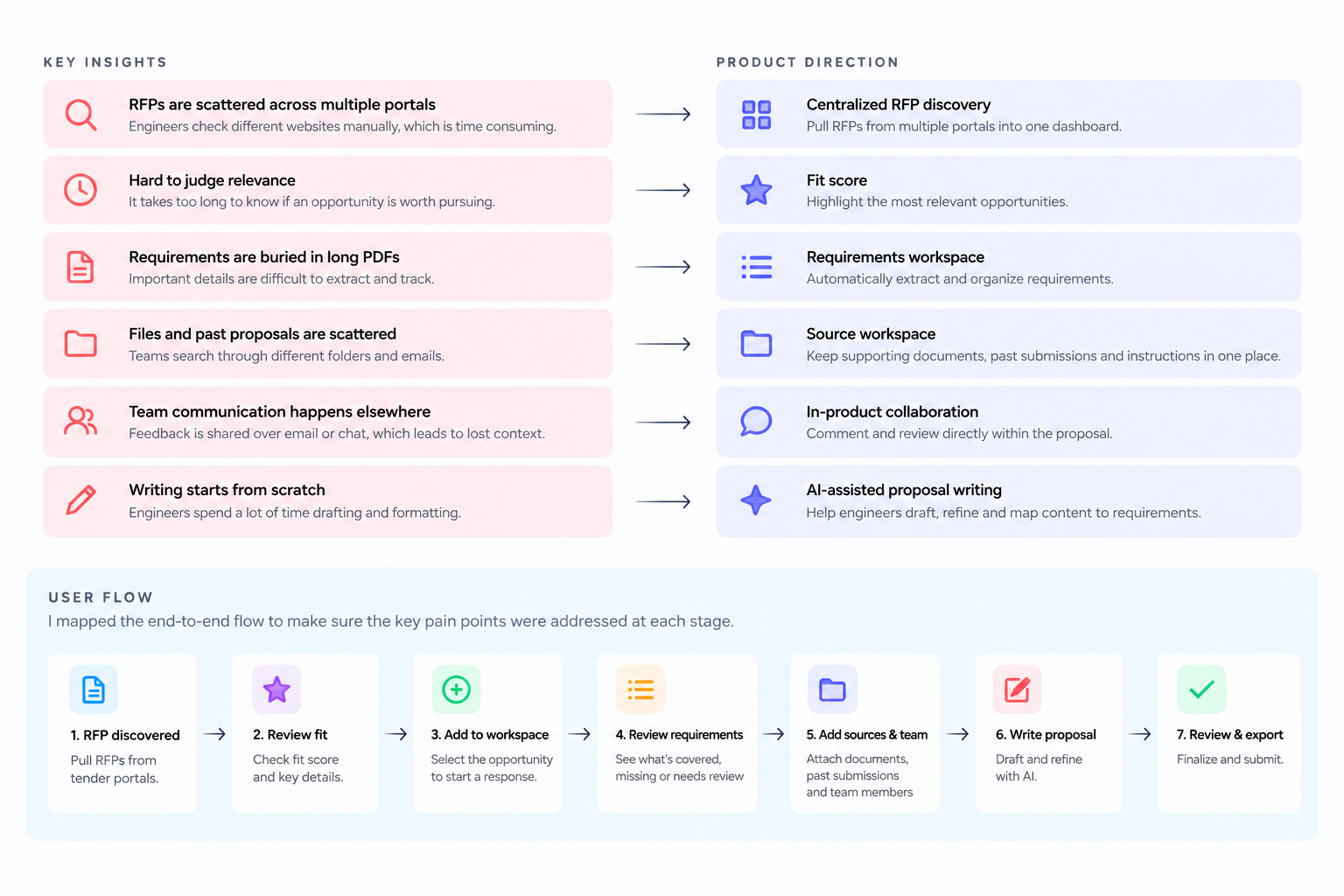
After the research, I grouped the main pain points together and used that to figure out what Quill actually needed to solve.
I then mapped the flow from finding an RFP to building the response, so each feature was tied back to a real problem the team was facing.
SOLUTION
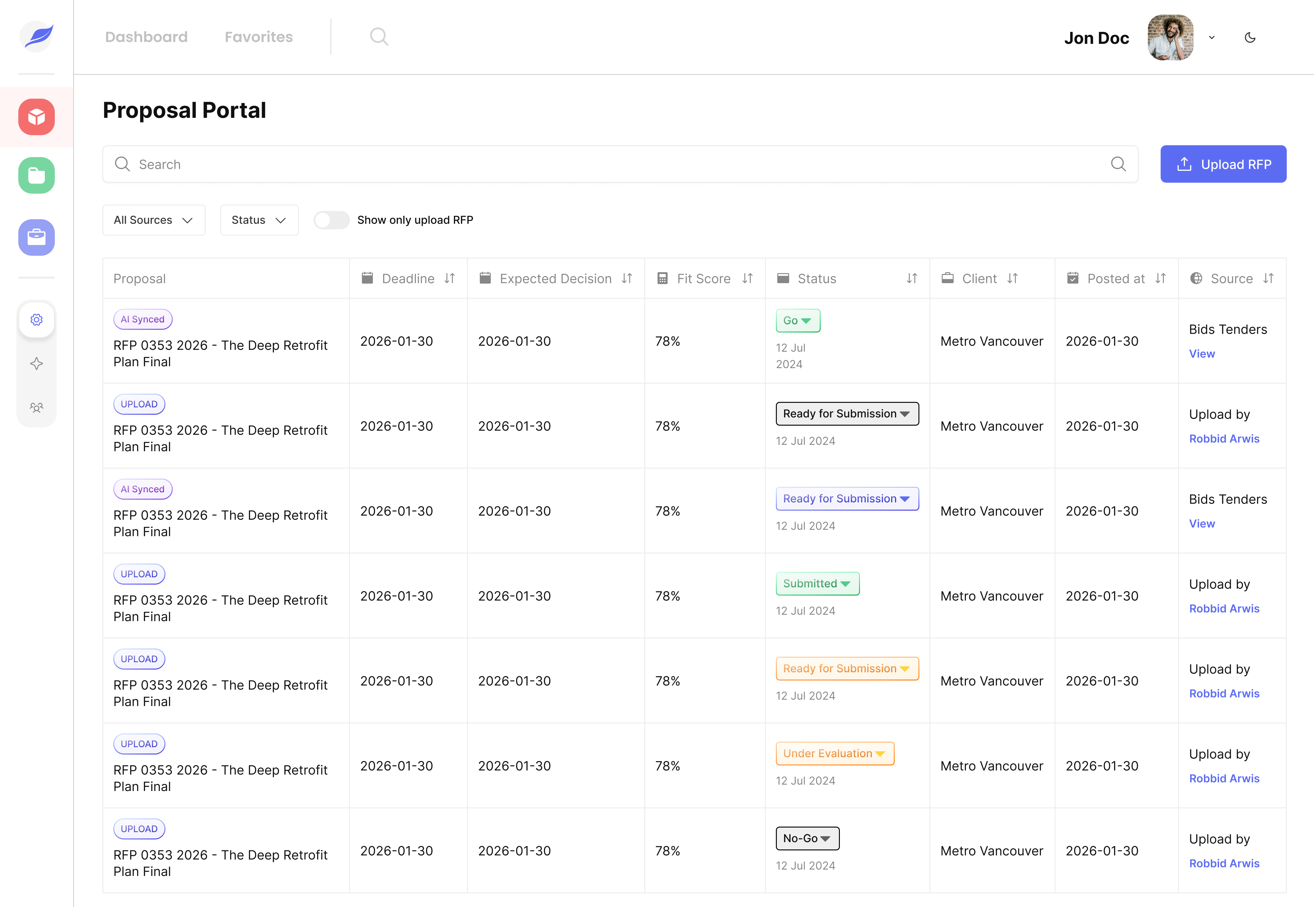
1. Centralized RFP Discovery
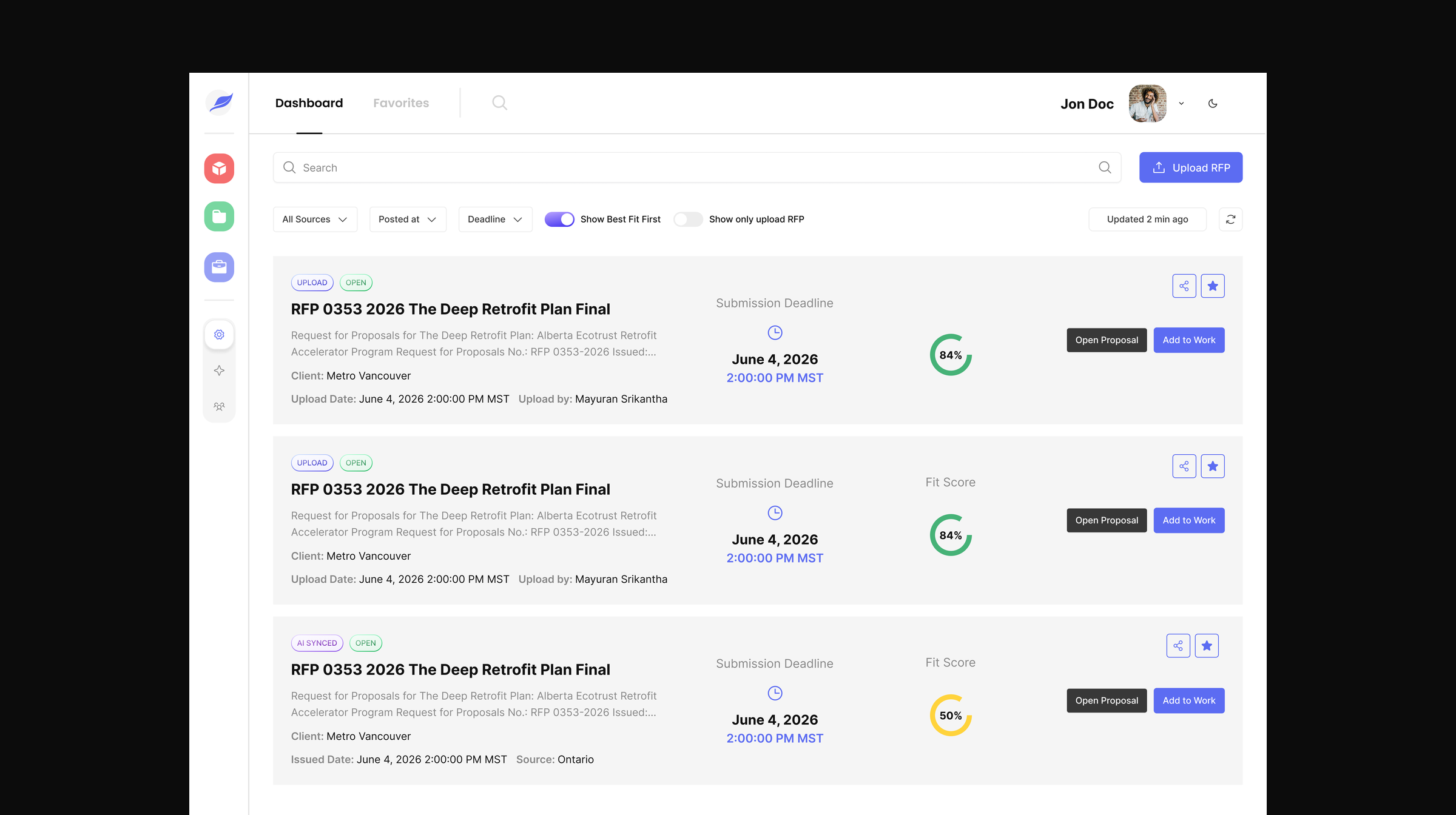
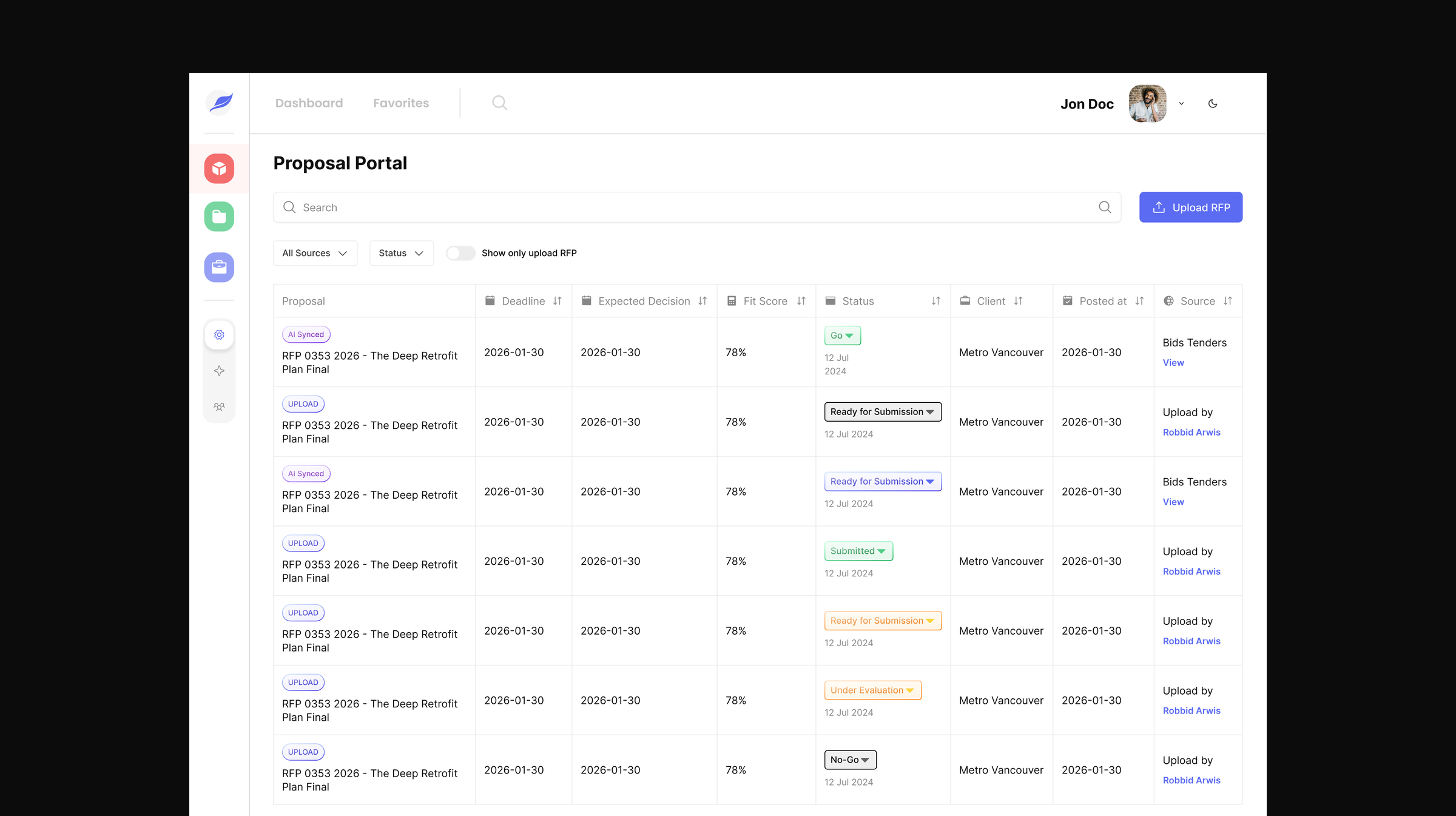
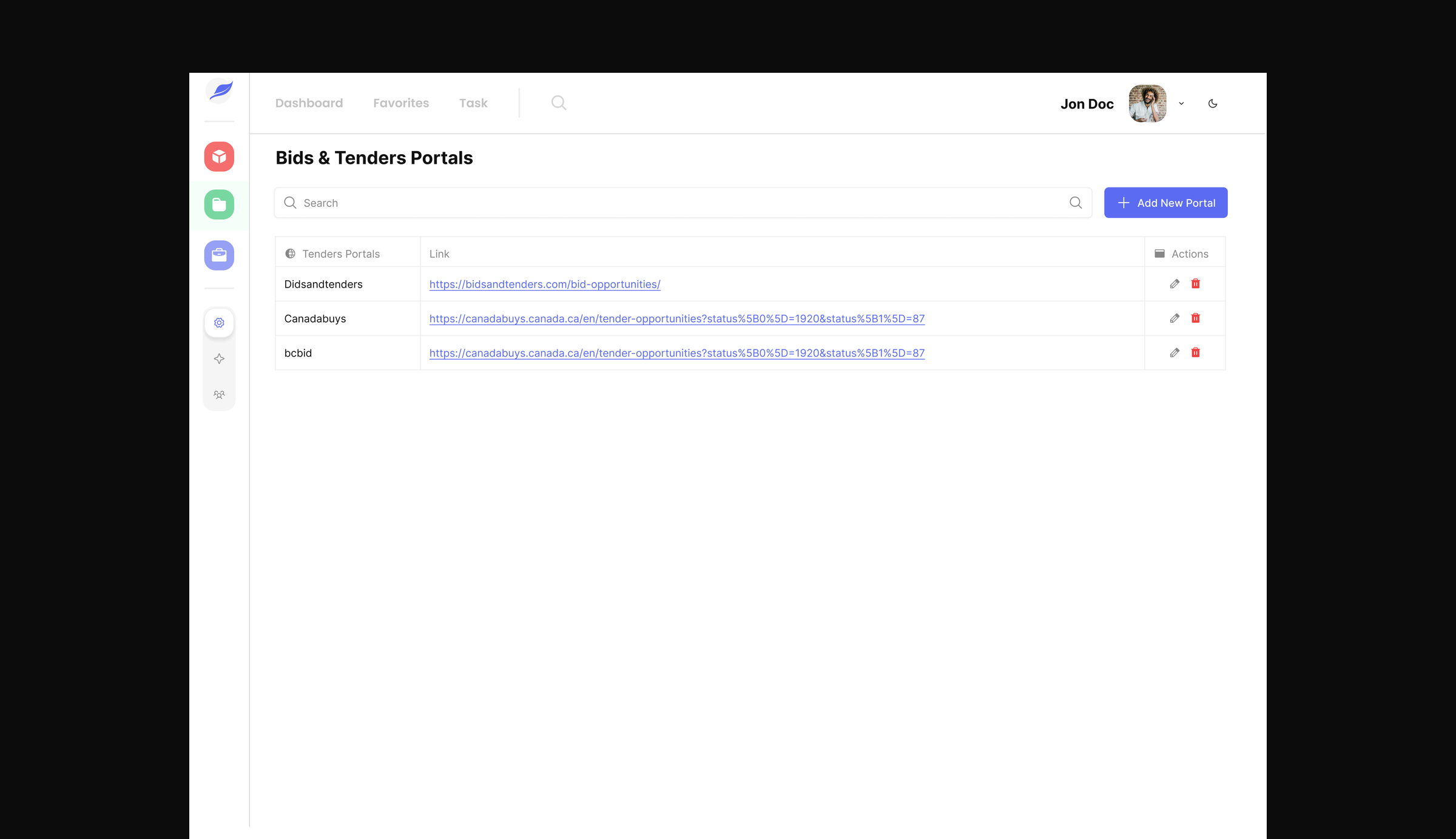
Quill pulls RFPs automatically from the tender portals added to the system and brings them into one dashboard.
This is one of the strongest features because it directly solves the original problem of engineers checking multiple procurement websites manually.
Engineers can also upload RFPs themselves. This covers the rare cases where an opportunity doesn’t come through one of the connected portals, so every RFP still ends up in the same place.
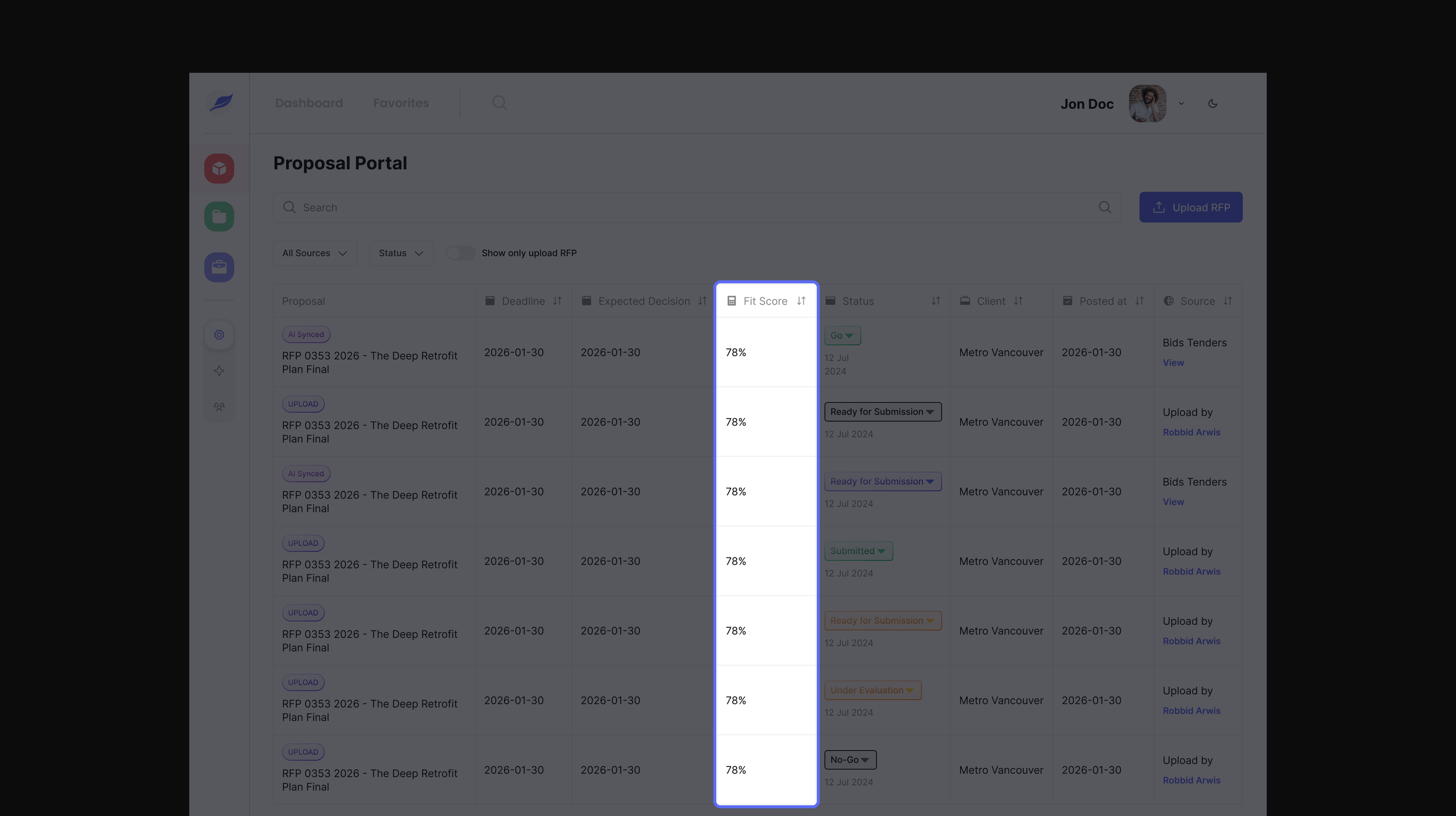
2. Fit Score & Opportunity Prioritization
Quill helps engineers quickly see which opportunities are more relevant using a Fit Score.
Instead of opening every RFP one by one, the team can focus on stronger opportunities first.
3. Requirements Workspace
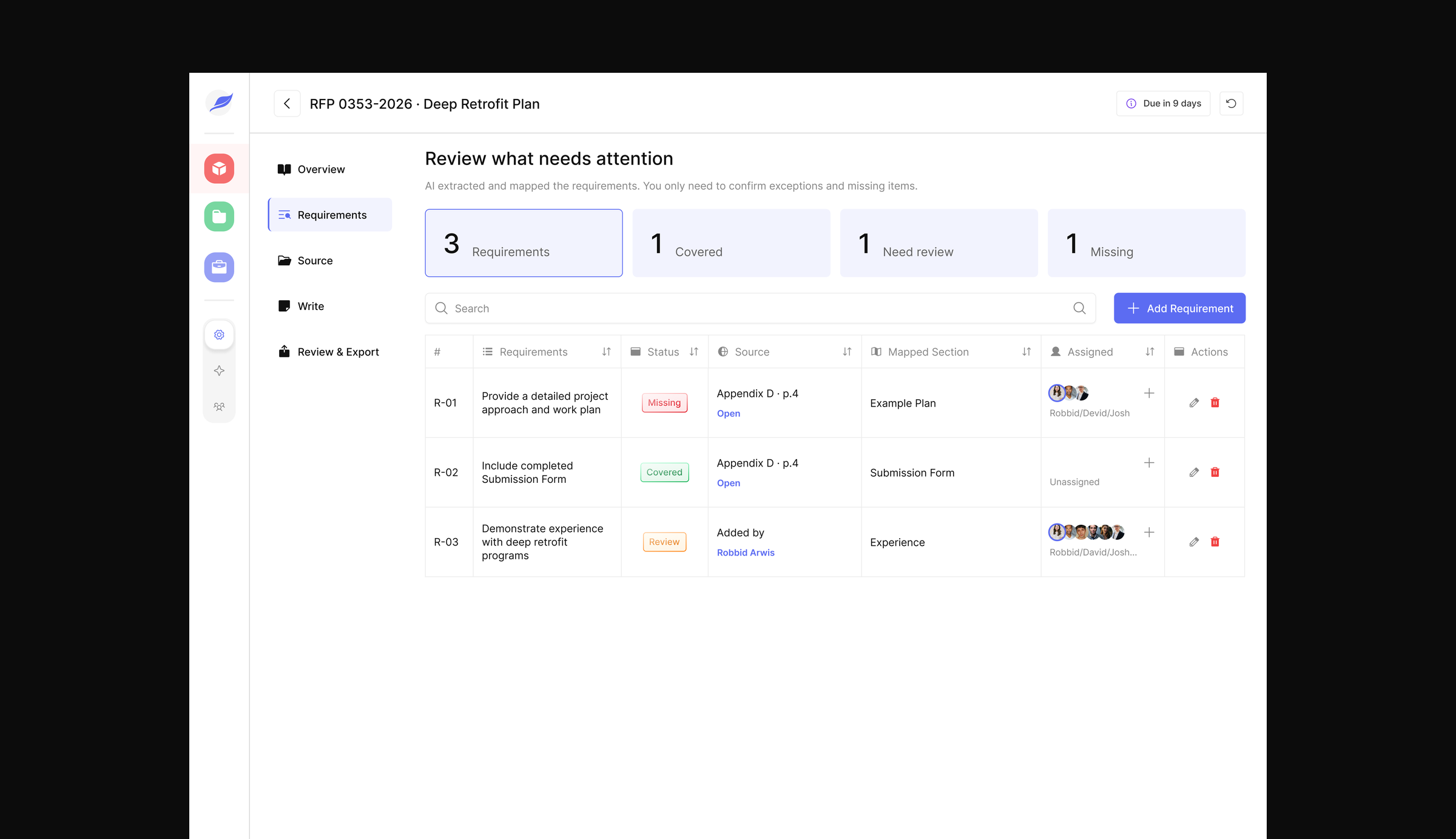
Quill pulls key requirements from the RFP and organizes them into one place.
The team can quickly see what is Covered, Needs Review, or Missing, along with the source, mapped section, and assigned team members.
If the AI misses something or the team wants to track an extra requirement, they can also add a requirement manually.
This keeps the process flexible while still reducing the amount of manual tracking the team has to do.
4. Source Workspace
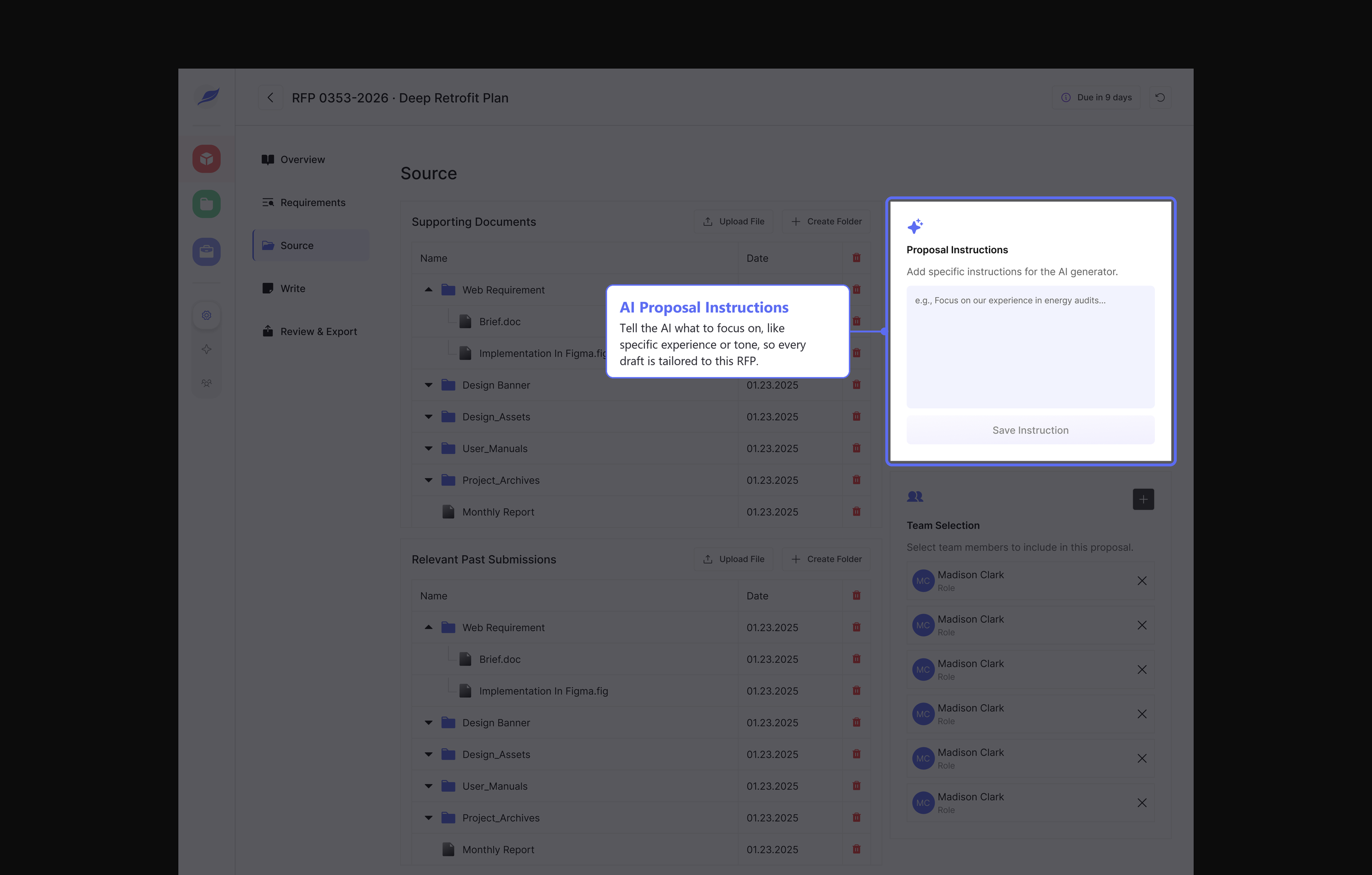
The Source workspace keeps everything the team needs for a proposal in one place.
Instead of going through different folders or old files, the team can upload supporting documents, keep past submissions, and add specific instructions for the AI to follow when helping with the proposal.
Team members can also be added directly to the proposal, so it is clear who is involved and working on it.
The goal was to keep the right context close to the proposal, so the team does not have to keep jumping between different tools and folders.
5. In-Product Collaboration
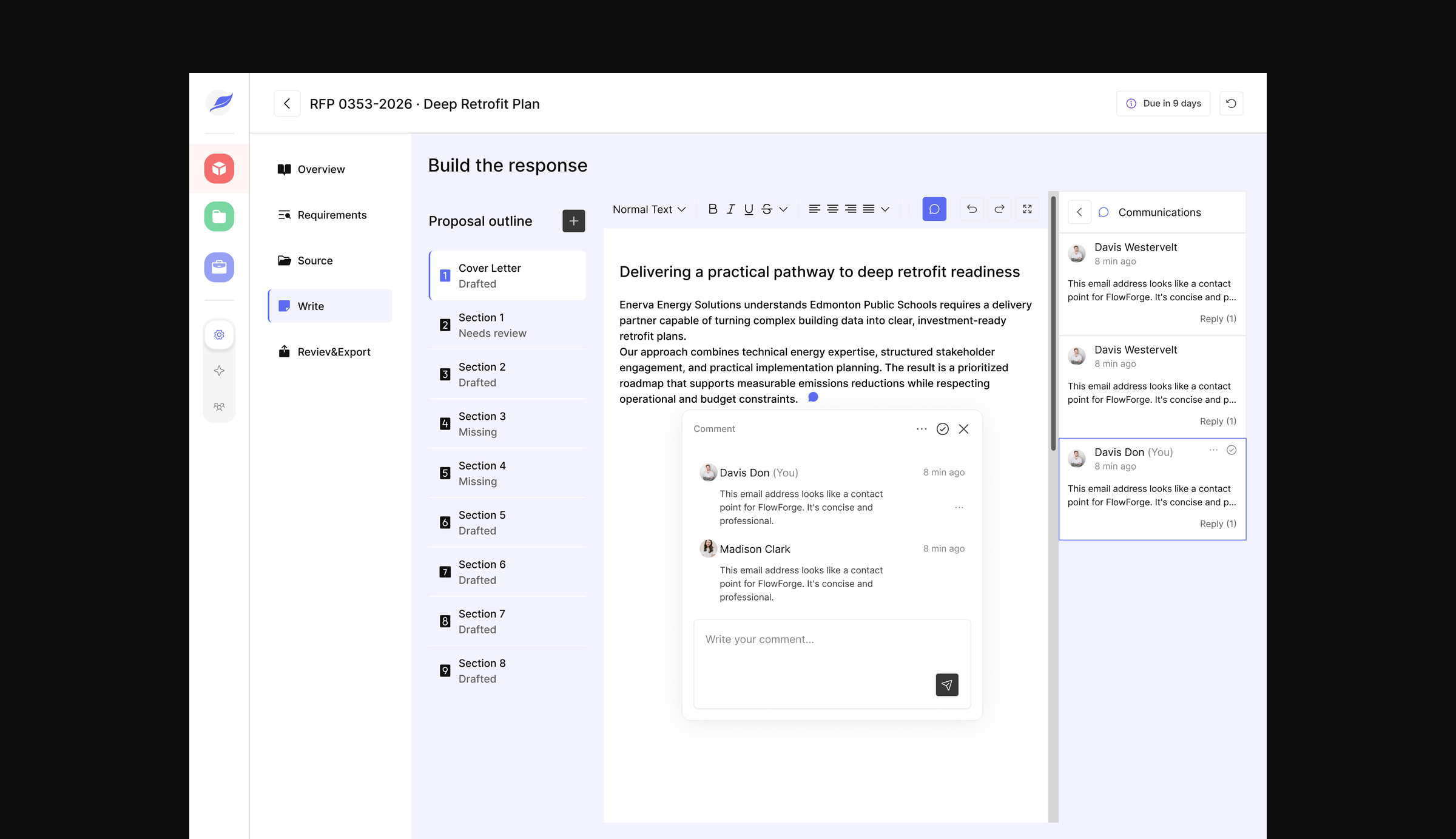
Quill keeps team discussions inside the proposal, so feedback does not have to move back and forth through email or other tools.
Team members can leave comments on the proposal, reply to each other, and see the full communication thread while still working on the response.
This makes it easier to keep feedback connected to the section being worked on and reduces the chance of losing context.
6. AI-Assisted Proposal Writing
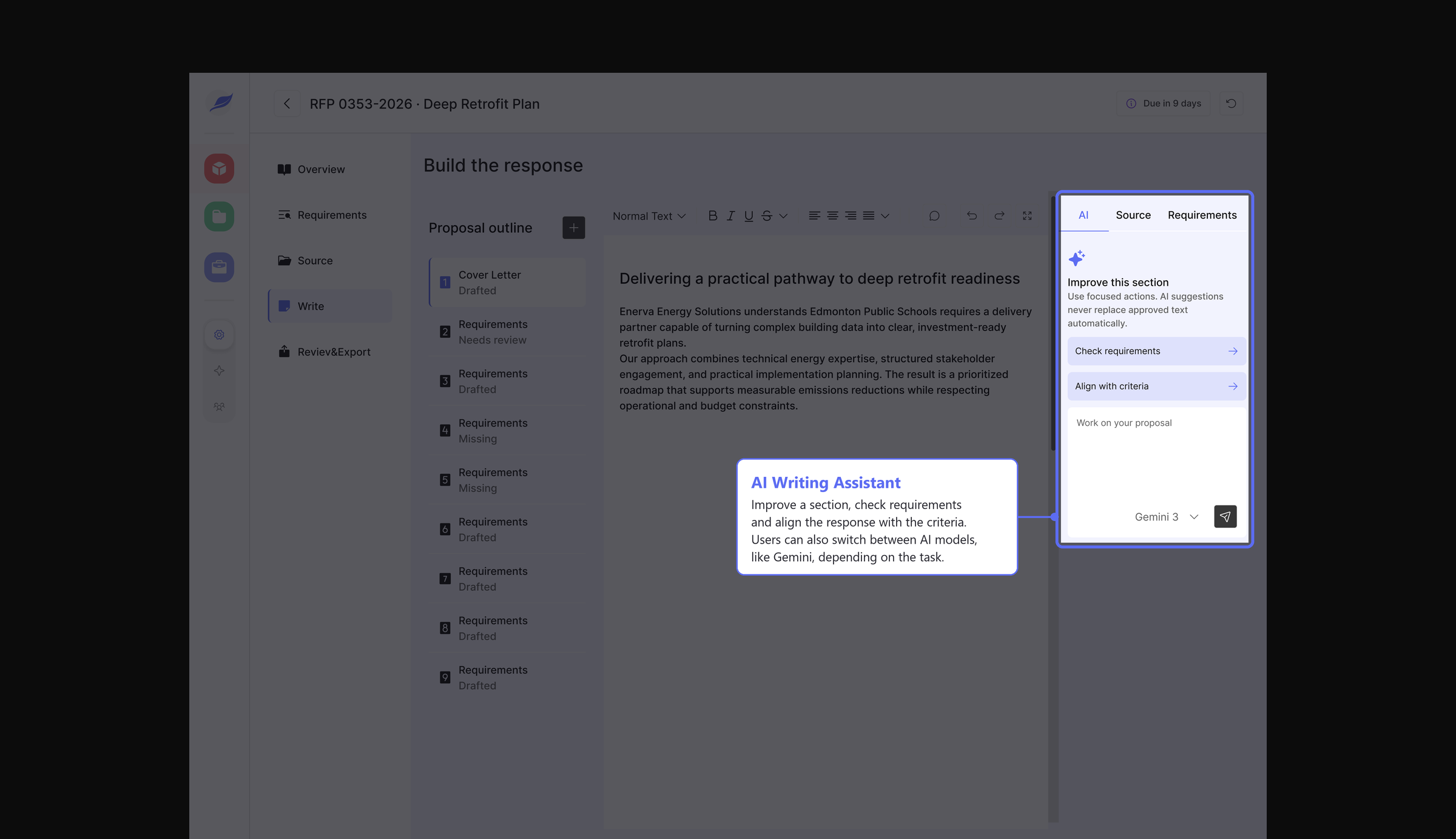
The Write section helps the team build the actual proposal in one place.
Instead of starting from scratch in another tool, the team can work through the proposal section by section and quickly see what is drafted, what needs review, and what is still missing.
The AI panel supports the writing process by helping improve sections, check requirements, and align the response with the criteria. This gives the team a faster starting point while still keeping control of the final content.
LEARNINGS
Working closely with the engineer taught me a lot about designing with the build in mind, not just how the screens should look.
Because I was also helping with implementation, I had to think more about how each feature would actually work, how data would move between different parts of the product, and what was realistic to build within the timeline.
It also helped me get better at making design decisions faster and working through problems together instead of handing designs off and moving on.